In brief
Google Maps supports up to nine stops on iPhone and iPad, including the final destination. Add them through More → Edit stops, then drag the reorder handles to set the sequence. Google documents manual reordering, not automatic stop-order optimization. Its along-route discovery can suggest restaurants and points of interest before you choose them.
What is the Google Maps stop limit?
Google Maps currently allows up to nine stops, including the final destination. The starting point is separate from that count.
Google documents multi-destination directions for driving, walking, and cycling, but not for public transit or flights. The current limit and steps are in the Google Maps iPhone and iPad help page.
How to add multiple stops on iPhone
Open directions to the main destination
Search for the final place, tap Directions, and confirm the starting point.
Open Edit stops
Tap the More menu at the top right, then choose Edit stops.
Add each destination
Search for another place and add it. Continue until the itinerary reaches the documented nine-stop limit or is complete.
Reorder the list
Hold the reorder handle beside a destination and drag it into the intended sequence.
Review and start
Tap Done, check the route for backtracking or unwanted detours, then begin navigation when parked safely.
Does Google Maps optimize multiple stops?
Google's official instructions describe dragging destinations to change their order. They do not describe automatic optimization that takes an unordered list and calculates the best sequence.
This distinction matters. Google Maps recalculates the route when you move a stop, but the driver still decides which order to test. A delivery route optimizer, a road trip planner, and manual drag-to-reorder solve three different problems.
| Task | Supported | How it works |
|---|---|---|
| Add destinations | Yes | Up to nine stops including the final destination |
| Reorder stops | Yes | Drag destinations manually |
| Choose the best order automatically | Not documented | The user evaluates and changes the order |
| Public transit or flight waypoints | No | Multiple destinations are not available for those modes |
How Explore along your route helps find stops
Google also offers an Explore along your route workflow on mobile. After entering a destination and opening directions, tap Add stops to browse restaurant and point-of-interest suggestions on or near the route.
Google's official feature explanation says the suggestions can be viewed as map pins or by topic, with place details available before adding one to the drive. This helps with discovery. It does not remove the need to judge timing, stop order, or the value of the detour across the whole trip.
When an external planning step helps
Google Maps works well when you know the places and the route fits inside its stop limit. An external planning step becomes useful when:
- the stops are requests rather than names, such as “good coffee after 90 minutes”;
- several possible places need to be considered in the context of the full drive;
- you want to compare the planned route with a direct alternative;
- or the itinerary needs to remain available before it is handed to navigation.
Ownway prepares a universal Google Maps directions link with supported intermediate points. Google documents a platform-dependent limit: up to three waypoints in mobile browsers and up to nine otherwise. If the Google Maps app is absent and the URL falls back to a mobile browser, later planned points may therefore be omitted; unsupported Maps products may ignore waypoint parameters.
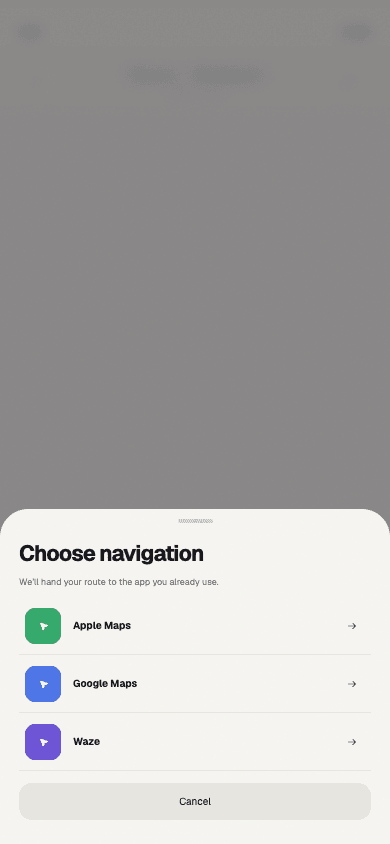
For other navigation options, read Apple Maps vs Google Maps vs Waze for multi-stop trips.
If the known-address workflow is not enough, compare Google Maps alternatives for multiple stops.
For the planning process that comes before the handoff, follow how to plan a road trip with multiple stops.
Frequently asked questions
- How many stops can Google Maps add?
- Up to nine stops, including the final destination, according to Google's current iPhone and iPad help page.
- Can Google Maps reorder stops?
- Yes. Hold and drag a destination to move it. The official workflow is manual rather than an automatic best-order calculation.
- Can Google Maps find restaurants along a route?
- Yes. Explore along your route can surface restaurants, points of interest, and other categories before you add a place to the trip.
Sources
- Get directions and show routes in Google Maps — iPhone and iPadGoogle Maps Help · Accessed August 14, 2026
- Find hidden road trip gems with this Maps tipGoogle · Accessed August 14, 2026
- Get Started with Maps URLsGoogle for Developers · Accessed August 14, 2026