In brief
To find good stops along a route, build the direct route first, decide when each break should happen, and set a maximum detour. Search near the route at those points, then compare the complete drive with each candidate added. Keep stops that fit your direction, arrival time, and detour budget—not simply the highest rating.
Start with a stop brief, not a search box
“Find lunch” is too vague. “Find a relaxed lunch near water about three hours into the drive, with no more than a 20-minute total detour” gives the search a useful shape.
A practical stop brief has five parts:
- Experience: what you actually want, such as local food, fast coffee, a playground, or a scenic view.
- Timing window: when the stop should happen relative to departure or arrival.
- Detour budget: the maximum extra time that still feels worthwhile.
- Route position: the correct direction of travel and a sensible point in the journey.
- Fallback: what can be relaxed if no place matches every condition.
This prevents a common road trip planning mistake: choosing an excellent place that is poor for this particular drive.
Measure the whole detour
A place can appear close to the route while still creating a slow exit, a difficult crossing, or backtracking after the visit. Judge the added time for leaving the route, reaching the place, and returning toward the destination.
Use a direct route as the baseline. Then add the candidate stop and compare the complete itinerary. The difference is the stop plan's aggregate travel cost. It is more useful than straight-line distance from the road.
Use along-route discovery without losing context
Google Maps' Explore along your route can show restaurants and points of interest as pins or topic lists after you open directions. It is a useful way to build a shortlist from the route rather than from a city-wide search.
Road trip products such as Roadtrippers take a broader discovery approach, organizing places into categories such as attractions, food, lodging, fuel, and rest stops.
Discovery is only the first half. Before committing, check:
- opening hours at the estimated arrival time;
- whether the entrance is convenient from your travel direction;
- parking and the likely duration of the visit;
- the added route time, not just distance;
- and a backup nearby in case conditions change.
A six-step stop-planning workflow
Build the direct route first
Record the normal distance and duration. This becomes the baseline for every later comparison.
Place timing windows on the drive
Decide roughly when coffee, meals, rest, charging, or sightseeing should happen.
Write one brief per stop
Include the experience, timing, detour limit, and any non-negotiable constraint.
Shortlist places on or near the route
Use along-route search rather than independent searches centered on distant towns.
Compare the complete itinerary
Put the candidates into route order and compare total time and distance with the direct baseline.
Save a fallback and hand off to navigation
Keep the final ordered list available, then open it in the navigation app that suits the trip.
Example: coffee, lunch, and a viewpoint
Imagine a seven-hour drive with three desired stops:
- coffee after about 90 minutes, preferably independent and easy to park near;
- lunch between hours three and four, close to water;
- a viewpoint late in the trip, but only if it adds less than 25 minutes.
Searching each request independently may produce three attractive places in an awkward order. A route-first pass resolves them together. If lunch creates too much backtracking, move the timing window or relax “near water” before sacrificing the entire schedule.
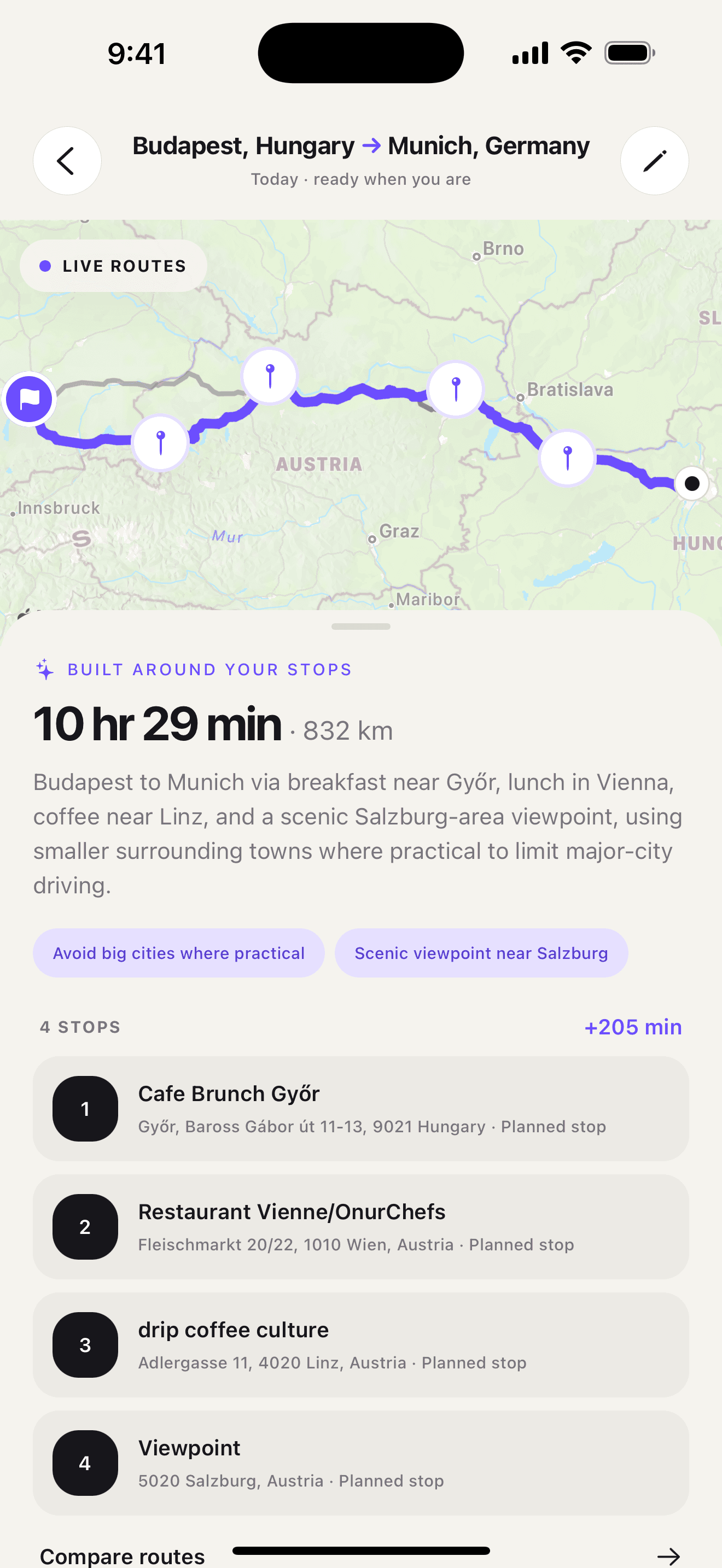
This is the kind of request Ownway is designed to interpret in one trip brief. It resolves real places, orders the planned points, and compares the planned itinerary with direct alternatives. The comparison is aggregate; Ownway does not claim a separate detour calculation for every individual stop.
For the complete process around this stop-selection step, read how to plan a road trip with multiple stops.
If the remaining question is which app should navigate the result, compare Apple Maps, Google Maps, and Waze for multi-stop road trips.
Frequently asked questions
- How do I find restaurants along my route?
- Open the route first, then use an along-route search or category. Check the estimated arrival time, opening hours, travel direction, and total detour before adding the restaurant.
- What is a reasonable detour for a road trip stop?
- There is no universal number. Set the limit before searching based on the stop's value and the day's schedule. A fuel stop may need a strict limit; a major viewpoint may justify more time.
- Should I choose stops by rating?
- Rating is one signal. Route position, opening hours, parking, visit length, and added travel time can matter more for a specific drive.
Sources
- Find hidden road trip gems with this Maps tipGoogle · Accessed August 14, 2026
- Road Trip Planner — Plan Your Next AdventureRoadtrippers · Accessed August 14, 2026