In brief
To find hotels along your route, map the complete drive first, choose the part of the journey where you want to stop for the night, and search inside that route corridor. Add each promising hotel to the route before booking so you can compare the real exit-and-return detour, arrival time, and next morning's direction. Then confirm check-in hours, parking, cancellation terms, and any essential facilities directly with the property or booking provider.
Choose the overnight window before the hotel
Searching for a hotel across an entire long-distance route produces too many irrelevant results. A better starting point is the amount of driving you want to complete on day one.
For example, on a nine-hour route you might decide to stop after roughly six hours, before a difficult mountain section, or outside a large city rather than crossing it during the evening rush. That decision creates a useful search corridor. You can now compare hotels in a manageable part of the route instead of choosing from every town between the origin and destination.
Do not treat the overnight point as a safety formula. Weather, traffic, road type, the driver, and the time of day all change what is sensible. The National Highway Traffic Safety Administration advises starting a long trip well rested and avoiding driving during peak sleepiness periods when possible. If you become drowsy, finding a safe place to stop matters more than reaching a preselected hotel.
Find the right section of the route
Use this route-first method:
Build the direct route
Map the complete drive without the hotel and note the normal route, duration, and major road changes.
Choose an arrival window
Decide when you want to finish driving and identify the route segment you are likely to reach around that time.
Search the corridor
Search for hotels around that segment, including towns shortly before and after the ideal stopping point.
Add each candidate to the route
Compare the complete itinerary with the hotel included. Check the approach at night and the direction of departure the next morning.
Verify the stay before booking
Confirm current availability, price, check-in arrangements, parking, cancellation terms, and required facilities with the property or booking provider.
This is the same route-first principle used when finding other stops without large detours: search where the stop belongs in the journey, not simply near your current location.
Compare the real hotel detour
A hotel can look close to the route while still being awkward to reach. A river, limited highway exits, city traffic, or a one-way street system can turn a nearby pin into a long diversion.
Compare both days:
- Evening access: the added time from the main route to the hotel.
- Morning return: the time required to continue toward the destination.
- Total route change: the combined effect on the whole trip, not the straight-line distance from the road.
- Arrival conditions: whether the final approach is comfortable at the expected time and in the expected weather.
A slightly more distant hotel near a useful highway junction can create a smaller total detour than a central hotel in the closest town.
Check the details that matter on a driving trip
Hotel quality is only one part of the decision. A road-trip stay also needs to work operationally.
| Check | Why it matters | What to verify |
|---|---|---|
| Check-in | A late arrival can make an otherwise good hotel unusable | Reception hours, late-arrival process, and time zone |
| Parking | City-center parking can add cost, walking, or uncertainty | On-site availability, vehicle limits, access hours, and fees |
| Route access | A nearby hotel can still require backtracking | Evening exit, morning re-entry, tolls, ferries, and seasonal roads |
| Cancellation | Traffic or weather may change the stopping point | Deadline, fees, and how to amend the reservation |
| Driver needs | The overnight stop should make the next day easier | Breakfast timing, charging if needed, accessibility, and quiet hours |
Treat prices, availability, ratings, and amenities as changeable information. Check them at the time you book rather than relying on an old route plan or search snippet.
Add the hotel to Google Maps or Apple Maps
Google Maps
Google's current Maps Help says a directions route can contain up to nine stops, including the final destination, and that places can be searched along the route. Build the full directions first, add the hotel as a destination, and inspect how the route changes before saving or sharing it.
If the hotel is the overnight end of day one, create day two as a separate route as well. The dedicated Google Maps multiple-stops guide explains the current stop limit and reordering workflow.
Apple Maps
Apple's current iPhone guide says a multistop driving route can include up to 14 stops. Add the hotel, move it into the correct order, and compare the proposed routes. Availability of navigation features can vary by country or region.
For the complete workflow, see how to add and reorder multiple stops in Apple Maps.
Whichever map app you use, let a passenger make changes while the vehicle is moving, or pull over safely before editing the route.
Example: splitting a nine-hour drive
Suppose the direct drive takes nine hours. You want to finish the first day after about six hours and avoid arriving in a dense city center at night.
Your first search finds two hotels:
- Hotel A is three miles from the route but requires crossing the city and returning to the same interchange the next morning.
- Hotel B is seven miles farther along the journey, just beyond the city, with direct access from the highway and a simple continuation toward the destination.
Hotel A is closer to the route on the map. Hotel B may still produce the better itinerary because it avoids evening traffic and morning backtracking. Add both to the complete route, compare arrival times and total travel, then verify the stay details before booking.
When you know the kind of hotel but not the place
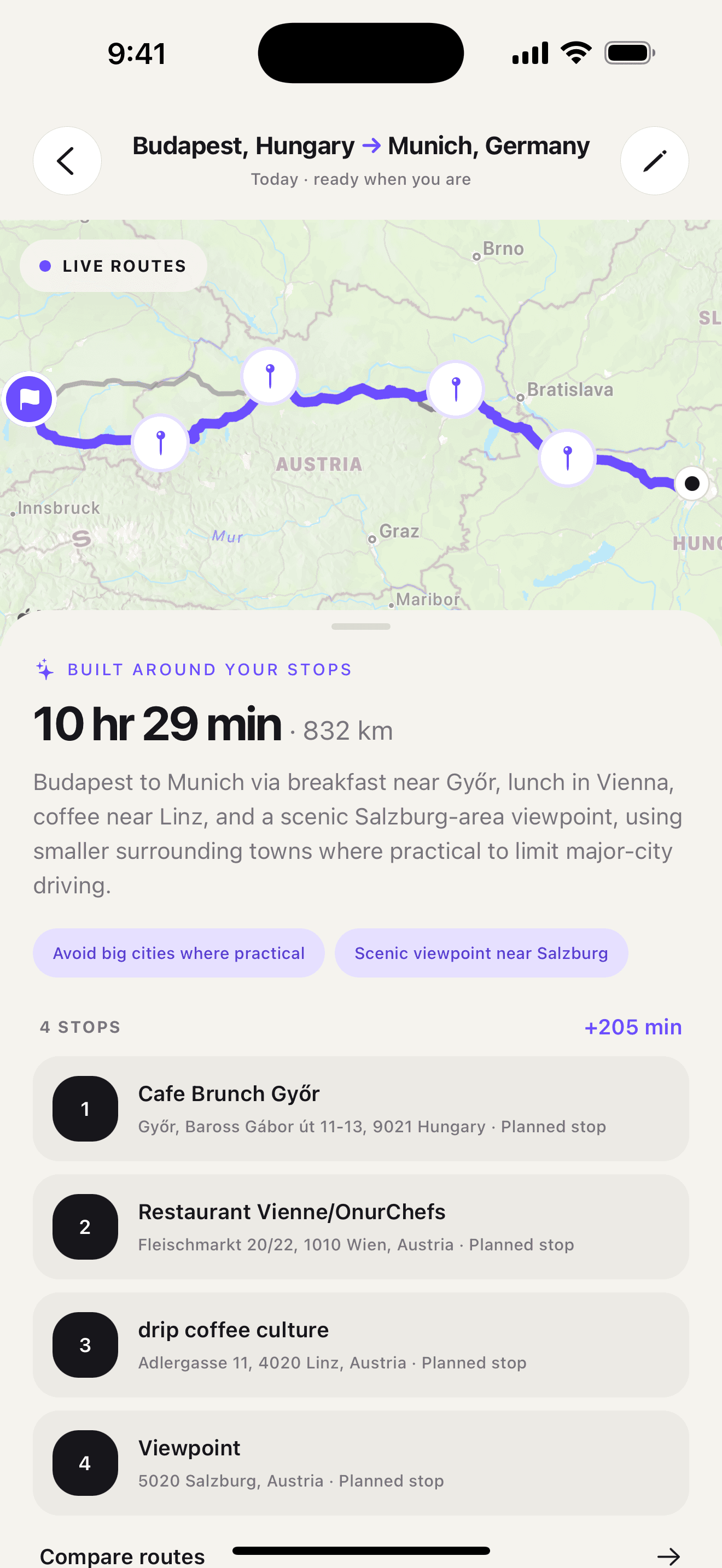
Ownway is useful when the request is more specific than a map category but the hotel is not yet known. You can describe the drive and the overnight requirement together:
Drive from Prague to Lake Garda over two days. Find a quiet hotel after about six hours of driving, close to the route, with parking and an easy start toward Italy the next morning.
Ownway can find and order suitable places in the trip plan, then hand navigation to Apple Maps, Google Maps, or Waze. It does not book the room or guarantee live price, availability, parking, or check-in conditions; confirm those details with the property or booking provider before relying on the stop.
Sources
- Get directions and show routes in Google MapsGoogle Maps Help · Accessed October 27, 2026
- Change or add stops to your route in Maps on iPhoneApple Support · Accessed October 27, 2026
- Drowsy Driving: Avoid Falling Asleep Behind the WheelNational Highway Traffic Safety Administration · Accessed October 27, 2026
- ownway: Multi-Stop PlannerApple App Store · Accessed October 27, 2026