In brief
To find things to see along your route, map the direct drive first, choose where a sightseeing break would fit, and search near that section of the route. Shortlist attractions by experience, opening time, visit length, access, and total detour. Add the best candidate to the complete itinerary before deciding—it should improve the trip without quietly creating backtracking or a late arrival.
Start with the kind of stop you want
“Show me attractions” is broad enough to produce museums, monuments, parks, shops, and landmarks across a huge area. Most of those results will be wrong for the drive even if they are worth visiting.
A useful sightseeing request describes the experience and the route constraint together:
- a short viewpoint after two hours of driving;
- a historic site with easy parking near the halfway point;
- a park where children can move around before the final leg;
- an unusual roadside attraction that adds no more than 20 minutes;
- or a quiet nature stop that is open near the expected arrival time.
This turns a destination search into a route-fit decision. The question is no longer “What attractions exist between these cities?” It is “Which attraction works at the right moment in this drive?”
Use the direct route as your baseline
Open the origin and final destination without optional stops. Note the expected drive time and the broad shape of the route. This baseline gives every attraction a fair test.
A place that looks close to the road can still require a slow exit, a river crossing, downtown parking, or backtracking to rejoin the route. Straight-line distance does not show that cost. Add the candidate to the itinerary and compare the complete drive with going direct.
Keep two kinds of time separate:
- Added driving time: the extra time caused by reaching the attraction and returning to the useful route.
- Visit time: the time you intentionally want to spend there.
A 45-minute viewpoint visit with a six-minute detour may fit easily. A five-minute photo stop that creates 35 minutes of extra driving may not.
Search inside the right part of the drive
Do not search around the entire map at once. Decide approximately when the break belongs, then inspect the relevant route section.
Google's Explore along your route can surface points of interest and scenic places after directions are open. Apple Maps supports searches for attractions, landmarks, parks, and other nearby place types, although nearby suggestions vary by region.
Both approaches are useful for browsing. You still need to judge whether a result fits the route direction, timing, and visit length. A popular attraction near the start of a long drive may be less useful than a smaller stop near the moment when everyone needs a break.
A six-step workflow for finding attractions along a route
Build the direct drive
Enter the origin and destination first. Keep its time and distance as the baseline.
Choose the sightseeing window
Decide roughly when the stop should happen: before lunch, near halfway, after three hours, or shortly before arrival.
Describe the experience
Ask for a viewpoint, historic place, short walk, playground, landmark, museum, or another specific experience rather than “anything interesting.”
Set a detour and visit budget
Separate extra driving from time spent at the attraction. Decide what the day can support before browsing.
Check practical details
Verify opening hours, parking, entrance location, accessibility, likely visit duration, and whether the stop works from your direction of travel.
Compare the complete itinerary
Add the candidate, review the new route and arrival time, then keep a nearby fallback in case the first choice does not work.
For the broader version of this process, including meals and rest breaks, use the route-first guide to finding stops. If food is the priority, the restaurant-along-route guide covers that narrower decision.
Compare attractions by route fit
Ratings and photos help, but they do not answer whether a place belongs in this itinerary. A practical comparison looks like this:
| Check | Why it matters | What to look for |
|---|---|---|
| Route position | A nearby place can still cause backtracking | It continues naturally toward the destination |
| Added drive time | Distance from the road hides exits and local traffic | The complete itinerary stays inside the detour budget |
| Arrival time | An attraction is useless if it is closed when you reach it | Hours work with the realistic route ETA |
| Visit length | A short break and a half-day attraction solve different needs | The stop fits the day's available time |
| Access | Parking or a difficult entrance can consume the planned break | Clear access, parking, and a simple return to the route |
| Group fit | The most famous place may not suit the passengers | The experience works for energy, mobility, age, and interests |
The highest-rated option is not automatically the best. For a travel day, a smaller attraction directly on route can be more enjoyable because nobody spends the next hour recovering from the detour.
Example: choosing one sightseeing stop
Imagine a six-hour drive where you want one interesting break after roughly three hours. Three candidates appear:
- a major museum 25 minutes from the route with a two-hour minimum visit;
- a hilltop viewpoint eight minutes from the route with simple parking;
- a historic town center 12 minutes away, but with uncertain parking and a slow exit.
The museum may be the best attraction in isolation, but it changes the travel day into a museum day. The historic center could work if the schedule is flexible. The viewpoint is the strongest fit when the goal is a memorable break without losing the afternoon.
That does not make the viewpoint universally “better.” It makes it better for this route, timing window, and detour budget.
When you know the experience but not the place
Ownway is built for trips where the destination is known but the stops are not. You can describe the full need in one brief:
Vienna to Lake Bled. Find a scenic place to stretch our legs around halfway, preferably with a short walk and easy parking. Keep the added driving under 20 minutes, then continue to the hotel.
Ownway finds real places, orders the selected stops, and shows the planned route before handing navigation to Apple Maps, Google Maps, or Waze. It is the planning layer, not a replacement for turn-by-turn navigation.
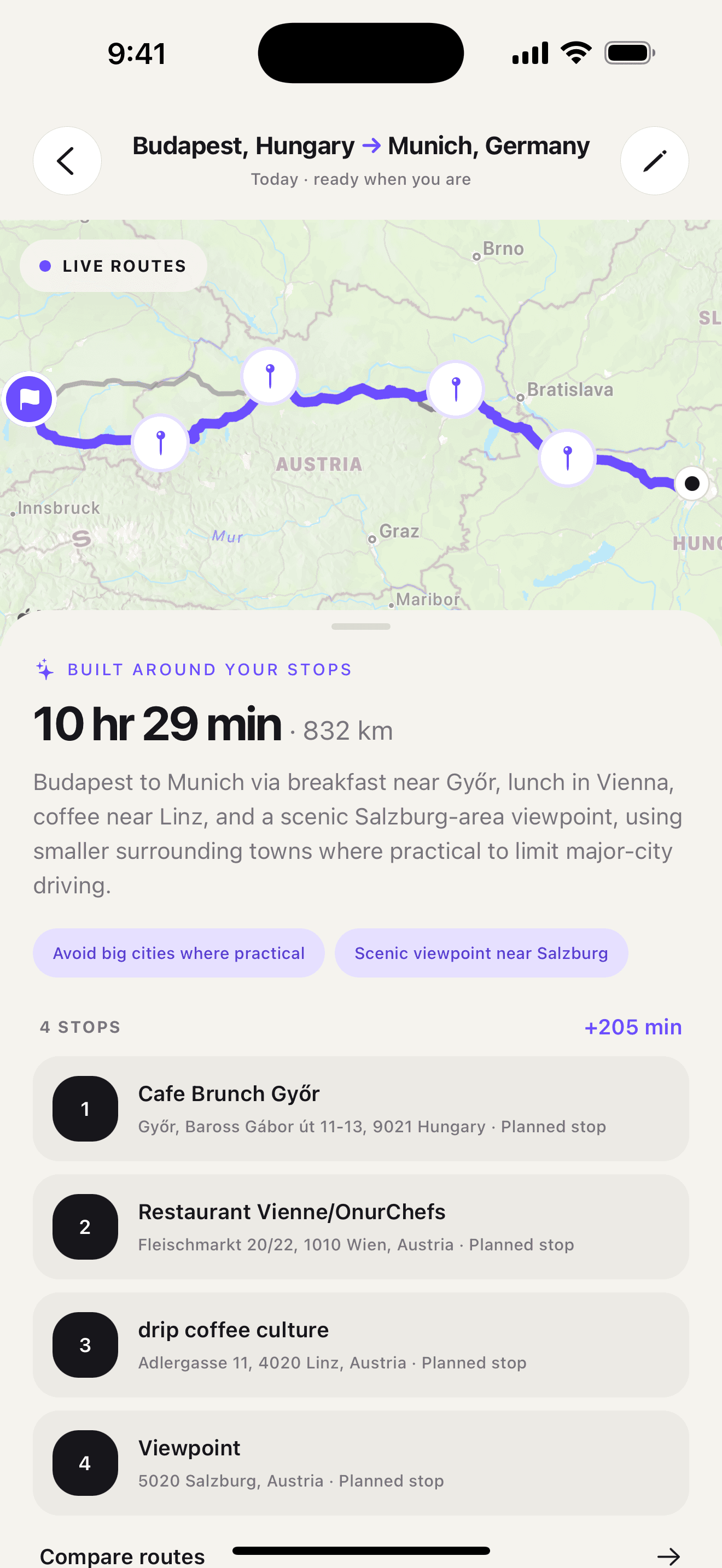
Plan the stop before navigation
Once the attraction is chosen, add it to the full itinerary and check the final order. Google Maps URLs can pass named waypoints into a directions route, while the navigation apps themselves have different multi-stop workflows and limits.
The important sequence is simple: discover the place, test it against the whole drive, save the final order, and only then start navigation. The complete multi-stop road-trip planning guide covers that handoff in detail.
Browse more practical route and stop-planning advice in the Ownway blog.
Sources
- Find hidden road trip gems with this Maps tipGoogle · Accessed October 22, 2026
- Find nearby attractions, restaurants, and services in Maps on iPhoneApple Support · Accessed October 22, 2026
- Get Started with Maps URLsGoogle for Developers · Accessed October 22, 2026
- ownway - Route & Stop PlannerApple App Store · Accessed October 22, 2026